
smartpasslib
Cryptographic password generation and management without storage
Cross-platform deterministic passwords on Python, C#, Go, Kotlin, JavaScript. Decentralized by design.
Smart Passwords Library: Cryptographic password generation and management without storage. Generate passwords from secrets, verify knowledge without exposure, manage metadata securely.
Now with Cross-Platform Determinism: Same secret + same parameters = identical password on C#, Python, Go, Kotlin, JavaScript and any language with SHA-256.
Decentralized by Design: Unlike traditional password managers that store encrypted vaults on central servers, smartpasslib stores nothing. Your secrets never leave your device. Passwords are regenerated on-demand — no cloud, no database, no trust required.
⚠️ Breaking Change (v4.0.0)
This version is NOT backward compatible with v1.x.x, v2.x.x, or v3.x.x. Passwords generated with older versions cannot be regenerated with v4.0.0.
📖 Full migration instructions → see MIGRATION.md
- Zero-Storage Security — no passwords or secret phrases are ever stored or transmitted
- Decentralized Architecture — no central servers, no cloud dependency
- Cross-Platform Deterministic Generation — identical secret + parameters = identical password on any language
- Metadata Only — store only verification metadata (public keys, descriptions, lengths)
- On-Demand Regeneration — passwords are recalculated when needed
- Cryptographically Secure — uses
secretsmodule and SHA-256
- Decentralized & Serverless — no central database, no cloud lock-in
- No Password Database — eliminates the need for password storage
- Cross-Platform Determinism — same results on C#, Python, Go, Kotlin, JavaScript
- Public Key Verification — verify secrets without exposing them
- Multiple Generator Types — Smart, strong, base, and code generators
- Store Only Public Metadata — private keys and secrets are NEVER persisted
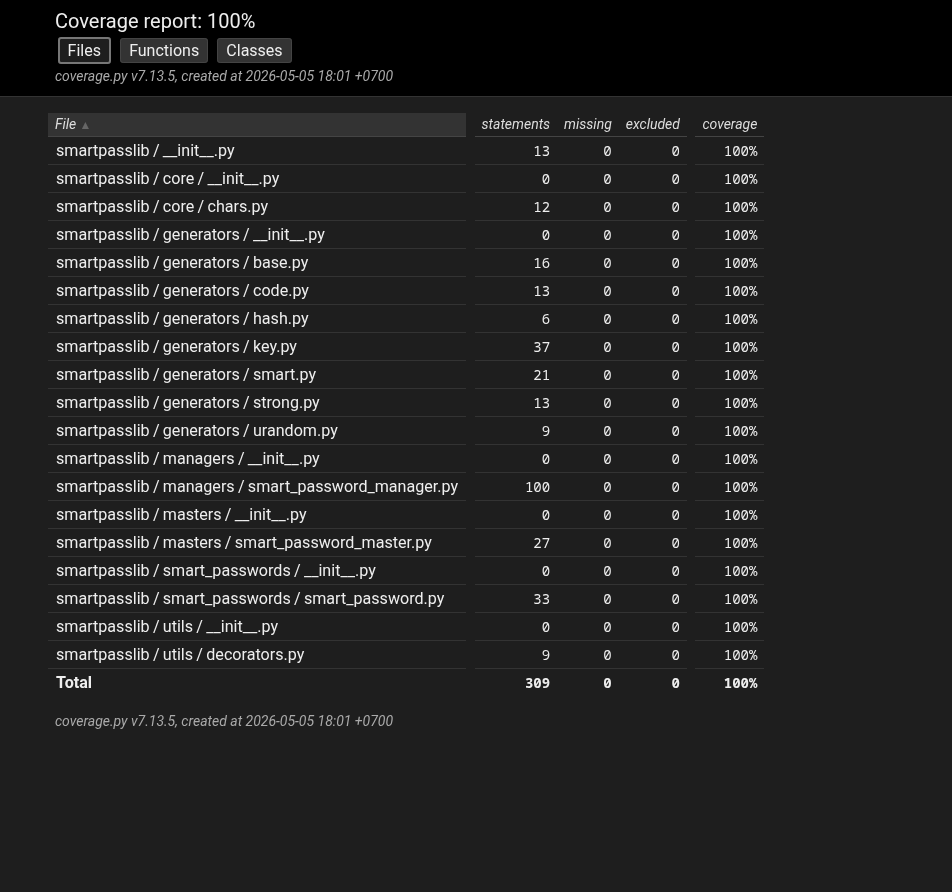
- Full Test Coverage — 100% tested for reliability and security
- Proof of Knowledge — verify you know a secret without storing or transmitting it
- Decentralized Trust — no third party needed
- Deterministic Security — same input = same output, always reproducible across platforms
- Dynamic Iteration Counts — private key: 15-30, public key: 45-60
- Zero Storage of Secrets — secret phrases exist only in your memory
- No Recovery Backdoors — lost secret = permanently lost passwords
Validation Rules: Secret phrase: min 12 chars · Password length: 12-100 chars · Code: 4-100 chars
Why SHA-256 instead of SHA3-512:
- Cross-platform standard — available in every programming language by default
- NIST certified — FIPS 180-4 compliant
- 256-bit security — quantum-resistant (128-bit effective with Grover's algorithm)
- Performance — faster on 32-bit and 64-bit systems
Key Derivation
| Key Type | Iterations | Purpose |
|---|---|---|
| Private Key | 15-30 (dynamic) | Password generation (never stored) |
| Public Key | 45-60 (dynamic) | Verification (stored locally) |
Character Set (Google-compatible):
!@#$%^&*()_+-=[]{};:,.<>?/ABCDEFGHIJKLMNOPQRSTUVWXYZ0123456789abcdefghijklmnopqrstuvwxyz
What's NOT stored: Secret phrase · The actual password · Any reversible password data
What IS stored (optional):
- Public verification key (hash of secret)
- Service description
- Password length parameter
pip install smartpasslib
pip install smartpasslib
Generate Password
from smartpasslib import SmartPasswordMaster

secret = "my_strong_secret_key"
password = SmartPasswordMaster.generate_smart_password(
    secret=secret,
    length=12
)
print(f"Your password: {password}")
Verification Without Storage
public_key = SmartPasswordMaster.generate_public_key(secret)
is_valid = SmartPasswordMaster.check_public_key(secret, public_key)
print(is_valid)  # True
SmartPasswordMaster — Main Interface
from smartpasslib import SmartPasswordMaster

base_password = SmartPasswordMaster.generate_base_password(length=12)
strong_password = SmartPasswordMaster.generate_strong_password(length=14)
smart_password = SmartPasswordMaster.generate_smart_password("my_strong_secret_key", 12)
auth_code = SmartPasswordMaster.generate_code(8)
SmartPasswordManager — Metadata Storage
from smartpasslib import SmartPasswordManager, SmartPassword, SmartPasswordMaster

manager = SmartPasswordManager()
public_key = SmartPasswordMaster.generate_public_key("MyStrongSecretPhrase2026!")
smart_pass = SmartPassword(
    public_key=public_key,
    description="GitHub account",
    length=18
)
manager.add_smart_password(smart_pass)
Same deterministic algorithm is available in multiple languages:
- smartpasslib-js — JavaScript
- smartpasslib-kotlin — Kotlin
- smartpasslib-go — Go
- smartpasslib-csharp — C#
Core Libraries:
- smartpasslib — Python
- smartpasslib-js — JavaScript
- smartpasslib-kotlin — Kotlin
- smartpasslib-go — Go
- smartpasslib-csharp — C#
CLI Applications:
- CLI Smart Password Manager (Python)
- CLI Smart Password Generator (Python)
- CLI Smart Password Manager (C#)
- CLI Smart Password Generator (C#)
Desktop Applications:
Other:
| Platform | Path |
|---|---|
| Linux | ~/.config/smart_password_manager/passwords.json |
| Windows | C:\Users\Username\.config\smart_password_manager\passwords.json |
Legacy Migration: Old ~/.cases.json files from v1.x.x/v2.x.x/v3.x.x are NOT compatible with v4.0.0.
100% test coverage — All components thoroughly tested
-
Pointer-Based Security Paradigm
— 10.5281/zenodo.17204738
Architectural Shift from Data Protection to Data Non-Existence -
Local Data Regeneration Paradigm
— 10.5281/zenodo.17264327
Ontological Shift from Data Transmission to Synchronous State Discovery
Secret Phrase Security
- Permanent data loss — lost secret phrase = irreversible loss of all derived passwords
- No recovery mechanisms — no password recovery, no secret reset
- Deterministic generation — identical input = identical output on any platform
- Single point of failure — secret phrase is the sole authentication factor
Secret Phrase Strength:
- Minimum 12 characters is enforced
- Short secrets (under 12 chars) are automatically rejected
- Use a mix of: uppercase, lowercase, numbers, symbols
Remember: The app cannot recover your secret phrase. If you lose it, all passwords are permanently lost.
NEVER use your password description as secret phrase
By using this software, you agree to the full disclaimer terms.
Software provided "AS IS" without warranty. You assume all risks.
Full legal disclaimer: See DISCLAIMER.md
License: BSD 3-Clause License